
- Thread Author
- #1
Union Role Play

Instructions for starting the build:
- Unzip files from the archive to the server-files folder with a clean server
- In the server-files folder, open the console and build modules using the command:
Git:npm install
- Fill in the data for connecting MYSQL in the file - packages/union-rp/modules/DB.js
- Start the server using the server.exe file
- When logging in to the server, skip entering the code from the mail
- To get an admin panel, write this text in the chat: Dexh78FMM0iICE1wNHA5
VIDEO TUTORIAL
MORE SCREENSHOTS


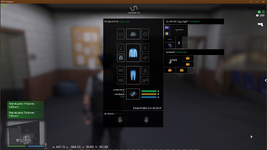

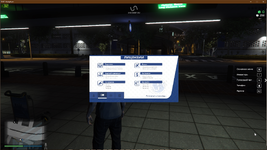


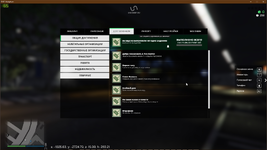


- Admin commands enter into the console (open on clickish ё(~)):
Team - Description - Min. Admin panel level- veh_color Change the color of the car. 8
- alock Open/close machines within a radius of 5 m. 7
- animator On/Off animation playback mode. 7
- anim Play a specific animation. 7
- give_money Give money to the player. 9
- takeaway_money Take money from the player. 7
- weapon Give a temporary weapon to a player. 7
- restart Server restart (Linux only). 8
- set_walking Change the player's gait. 7
- set_house_owner Change the owner of the house. 8
- ammo Get the current number of rounds. 7
- removeWeapon Remove gun. 7
- calltaxi Call a taxi. 1
- canceltaxi Cancel the call for a taxi taxi. 7
- effect Enable Screen FX. 7
- set_biz_owner Change the owner of the business. 7
- tp_biz Teleport to business. 7
- items_list View inventory items on the server. The update on your client will happen after the relog! 7
- set_faction_products Change the quantity of the item in the organization's warehouse. 7
- set_faction_maxproducts Change the capacity of the item in the organization's warehouse. 7
- delete_veh Delete the car. If the car is in the database, then it is also deleted. 8
- makeadmin Make the player an administrator. 9
- add_newbie_veh Add/update a car for beginners (color2 must be specified until there is a fix RAGEMP). 8
- add_lic_veh Add/update a car for a driving school (color2 must be specified until there is a fix RAGEMP). 8
- add_farm_veh Add/update a car for the farm (color2 must be specified until the RAGEMP fix is used). 8
- create_tpmarker Create a marker for the teleporter. (specify the coordinates of the end marker) 8
- delete_tpmarker Remove the marker for the teleporter. 8
- bizes Output the coordinates of the business. 8
- obj Create object. 8
- clothes Change clothes. 7
- info_flight Information about routes for Buses. 8
- clear_inventory Clear the player's inventory. 7
- clear_floor_items Clear inventory items from the server floor. 8
- set_faction_name Change the name of the organization. 8
- set_faction_blipcolor Change the color of the blip on the map of the organization. 8
- set_faction_position Change the position of the organization. The position is taken from the player. 8
- set_faction_storage Change the position of the issuance of items of the organization. The position is taken from the player. 8
- set_faction_rankname Change the rank name. 8
- set_faction_rankpay Change the rank salary. 8
- add_faction_veh Add/update the auto of the organization (color2 must be specified until the RAGEMP fix is used). 8
- set_faction_veh_rank Add/update the min. rank to access the auto organization. 8
- settime Change the time on the server. 9
- economy_list View server economy. 9
- set_economy Change the server economy. (view all variables - economy_list) 9
- request_ipl Download IPL. (for additional interiors and locations) 9
- save_obj Save the object to the database (taken from /obj). 9
- add_job_veh Add/update a working car (color2 must be specified until there is a fix RAGEMP). 9
- update Update the mod to the latest version. 9
- jobs_list View the list of works. 9
- set_job_name Change the title of the work. 9
- set_job_level Change the player's min. level to work with. 9
- set_job Change the player's experience. 9
- set_job_skills Change the player's skills. 9
- terminal_cmd_name Change the name of the team. 9
- terminal_cmd_description Edit the team description. 9
- terminal_cmd_minlevel Change the minimum level of the team. 9
- create_ped Create a ped. 9
- delete_ped Remove the nearest ped. 9
- delete_house Delete the house. 9
- set_house_interior Change the interior of the house. 9
- set_house_price Change the price of the house. 9
- set_house_class Change the class of the house. Grades: A,B,C,D,E,F. 9
- set_house_garage Change the garage of the house. 9
- set_house_vehspawn Set the spawn position of the car when leaving the garage. Installation takes place according to the position of the car in which the player is. 9
- set_house_garageenter Set the position of the entrance to the garage from the street. Installation takes place according to the position of the player. 9
- set_interior_spawn Set the spawn position in the interior. Installation takes place according to the position of the player. 9
- set_interior_enter Set the position of the entrance to the interior. Installation takes place according to the position of the player. 9
- set_interior_garage Set the position of the entrance to the garage. Installation takes place according to the position of the player. 9
- set_interior_rooms Set the number of rooms near the interior. 9
- set_interior_square Set the area near the interior. 9
- set_garage_enter Set the position of the garage entrance. Installation takes place according to the position of the player. 9
- pinfo Bring the player to the console. 9
- vinfo Bring the machine to the console. 9
- iinfo Output inventory items to the console. 9
- bank Test notification from the bank. 9
- task_goto Following the player to the point. 9
- event Raise an event on the client. 9
- show_ai View the current AUTO_INCREMENT from players_inventory. 9
- crash_items_test Crash test for inventory items. 9
- take_object Take the object. 9
- put_object Put the object. 9
- test_attach Test attach. 9
- test_attach_off Clear the test attouch. 9
- test_blip Create a test blip. 9
- prop Change prop. 9
- select_flight Select a route to make changes to it. 9
- create_point Create a checkpoint for the route (0 - interval, 1 - stop). 9
- delete_point Delete the checkpoint for the route. 9
- stop_flight Stop working on the route. 9
- create_flight Create a new route for Buses. 9
- delete_flight Delete route for Buses. 9
- change_pos_point Change the checkpoint position for the route. 9
- change_status_point Change the checkpoint status for the route (0 - interval, 1 - stop). 9
- change_name_flight Change the name of the route for Buses. 9
- change_salary_flight Change the route salary for Buses. 9
- tpbone tp to bone car. 9
- test_mcall Medic test call. 9
- test_mcallremove Test acceptance/rejection of a medical call. 9
- test_pcall Cop test call. 9
- test_pcallremove Test acceptance/rejection of the cop call. 9
- sound Unmute. 9
- delete_biz Delete Business 9
- set_biz_name Change Business Name 9
- delete_biz_owner Remove the business owner. 9
- set_biz_price Change Business Value 9
- set_biz_products Change the quantity of goods in the business warehouse. 9
- set_biz_maxproducts Change the capacity of the goods in the business warehouse. 9
- set_biz_productprice Change the price for 1 item in the business. 9
- set_biz_balance Change the balance of the business. 9
- set_biz_type Change the type of business. 9
- set_biz_status Change Business Status.<br/>Statuses:<br/>0 - Closed<br/>1- Open 9
- set_biz_position Change the position of the business. The position is taken from the player. 9
- set_item_name Change the name of the inventory item. (see items_list) 9
- set_item_desc Change the description of the inventory item. (see items_list) 9
- set_item_weight Change the weight of the inventory item. (see items_list) 9
- set_item_size Change the description of the inventory item. (see items_list) 9
- set_item_model Change the model of the inventory item. This model is used when the player drops an item. (see items_list) 9
- set_item_deltaz Change the deltaZ of the inventory item. Offset the model in height when the player drops an item. (see items_list) 9
- set_item_rotation Change the rotation of the inventory item. Rotates the model when the player drops an item. (see items_list) 9
- give_test_items Give test items to the player. 9
- add_routep Add a waypoint. 9
- delete_routep Delete the waypoint. 9
- set_step_routep Change the sequence number of point 9
- set_name_routep Change the name of Point 9
- set_type_routep Change the type (route number) of point 9
- set_pos_routep Change the position of point 9
- set_station_routep Change the position of point 9
- show_route Show the full route. 9
- start_route Start the route. 9
- hide_route Hide route. 9
- clothes_variation Change the variation of clothes. Type:<br/>bracelets,ears,feets,glasses,hats,legs,masks,ties,top,watches 9
- clothes_price Change the price of clothes. Type:<br/>bracelets,ears,feets,glasses,hats,legs,masks,ties,top,watches 9
- clothes_size Change rows and cols. These parameters determine how many items a garment can store. Type:<br/>legs,top 9
- clothes_addtexture Add the texture of the garment. Type:<br/>bracelets,ears,feets,glasses,hats,legs,masks,ties,top,watches 9
- clothes_deletetexture Remove the texture of the garment. Type:<br/>bracelets,ears,feets,glasses,hats,legs,masks,ties,top,watches 9
- hp Replenish your health. 1
- tp Teleport by coordinates. 2
- tps Teleport by coordinates. 2
- armour Refill your armor. 2
- kill yourself. 2
- kick Kick a player from the server. 2
- goto Teleport to the player. 2
- freeze Freeze player. 2
- unfreeze Unfreeze the player. 2
- gethere Teleport the player to you. 3
- fuel Change the amount of fuel in the car. 2
- tp_house Teleport in the house. 4
- door Open the door of the car. 3
- tp_faction Teleport to the organization. 3
- freeze_radius Freeze players in radius. 3
- unfreeze_radius Unfreeze players in radius. 3
- set_hp Grant health to a player. 3
- veh Create a car. 4
- tp_interior Teleport to the interior. 5
- tp_garage Teleport to the garage. 5
- tp_vehicle Teleport to the car. 4
- set_skin Change the player's skin. 6
- skick Kick player from the server (without notifying the player) 4
- get_ip Find out the player's IP address. 4
- dm Put the player in the democratic organ. 3
- undm Release a player from the democratic organ. 3
- gg Wish a pleasant game to the player. 1
- aspawn Spawn the player on possible spawns. 1
- stats View player stats. 5
- ban_char Ban character 3
- unban_char Unban Character 4
- invis Make the player visible/invisible. 1
- global Write a message to all players. 5
- parking_create Create a new parking lot. The position of the blip and the position of the ped are taken from the position of the player (the rotation of the body is taken into account) 9
- parking_delete Remove Parking 9
- parking_update Change parking name and blip position 9
- parking_create_slot Create a parking space. Position is taken only from the player in the car(Place the car as it spawns) 9
- parking_delete_slot Create a parking space. Position is taken only from the player in the car(Place the car as it spawns) 9
- parking_update_slot Change the coordinates of the parking space. Position is taken only from the player in the car(Place the car as it spawns) 9
- parking_tp Teleport to the parking lot. 9
- parking_slot_show Display markers and sign the SlotID of the slots in the parking lot. 9
- parking_slot_hide Remove slot markers in the parking lot. 9
- cutscene_start Start a cutscene. 8
- cutscene_stop Stop the cutscene. 8
- cutscenes_list View the list of cutscenes. 8
- warn Issue a warning. 3
- unwarn Remove the warning. 3
- sp Start spying on the player. 1
- unsp Stop spying on the player. 1
- delete_spawn Remove spawn for players. 9
- create_spawn Create a spawn for players. 9
- info_spawn Information about spawns. 9
- set_dimension Change dimension. 9
- test_veh_attach Test attachment to the car. The number parameter is used to attach multiple objects. 9
- test_veh_attach_off Clear the test attachment from the car. 9
- ban_ip Ban the IP address. 4
- unban_ip Unban the IP address. 4
- test_cropload Test team to visualize the harvest in a farm pickup truck. 9
- set_house_position Change the position of the house. 9
- bone_index Get the bone index by name. 9
- add_rent_veh Add/update the rented car. 9
- set_faction_warehouse Change the position of the organization's warehouse. The position is taken from the player. 9
- clear_faction_items Remove inventory items from the organization that belong to the player from the server. 8
- farm_field_fill Sow the field. 8
- set_cutscene_name Change the name of the cutscene. 8
- set_cutscene_finaltext Change the final text of the cutscene. 8
- set_cutscene_point_speed Change the camera speed of the cutscene frame. 8
- set_cutscene_point_text Change the text of the cutscene frame. 8
- set_cutscene_point_startpos Change the starting position of the camera at the cutscene frame. 8
- set_cutscene_point_endrot Change the final rotation of the camera at the cutscene frame. 8
- set_cutscene_point_endpos Change the end position of the camera at the cutscene frame. 8
- set_cutscene_point_startrot Change the initial camera rotation of the cutscene frame. 8
- cutscene_add_point Add a frame to a cutscene. 8
- cutscene_delete_point Remove a frame from the cutscene. 8
- cutscene_points View the list of frames near the cutscene. 8
- set_faction_leader Change the leader of the organization. Use a non-existent nickname to remove the owner. 6
- veh_license Change the license to drive a car. Types:<br/>1 - Auto<br/>2 - Moto<br/>3 - Boat<br/>4 - Yacht<br/>11 - Helicopter<br/>12 - Airplane 7
- create_biz Create a business. The marker is placed according to the player's position.<br/>Type:<br/>1 - diner<br/>2 - bar<br/>3 - clothing store<br/>4 - barbershop<br/>5 - petrol station<br/>6 - 24/7<br/>7 - tattoo salon<br/>8 - gun shop<br/>9 - car dealership<br/>10 - LS Customs<br/>11 - STO 9
- create_house Create a new home. The position of leaving the house is taken according to the position of the player (do not forget about turning the body so that the player looks in the opposite direction from the door). 9
- mute Give a mute to a player. 2
- unmute Remove the mute from the player. 2
- give_licenses Issue all licenses to the player. 3
DOWNLOAD LINK
You must be registered for see links